Article reference KA-02580
Applicable to models: Dimplex Hub, Dimplex Control App
When you change internet provider, the Hub must be told to connect to the new internet. To do this, you will need to change your Hub's connection via the Dimplex Control app.
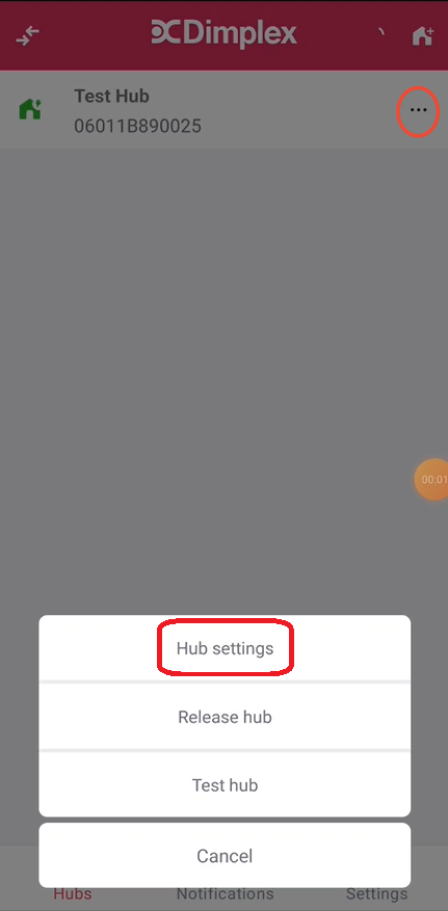
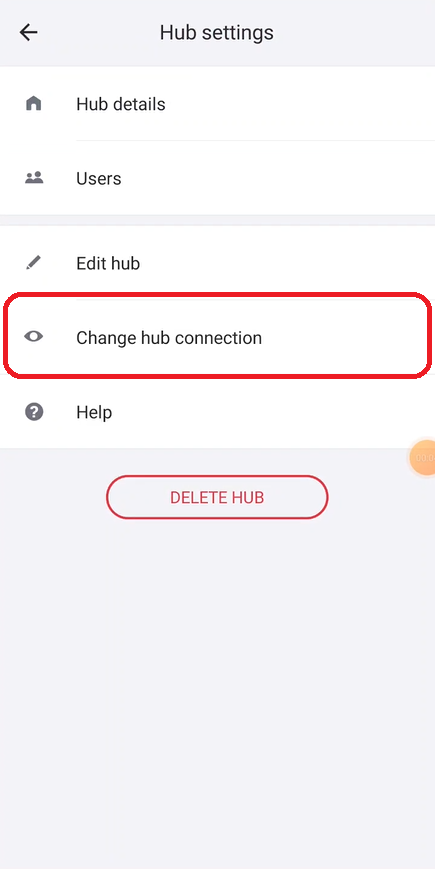
Open the Dimplex Control app, log in, select "Hubs" along the bottom of the screen then tap on "..." icon to open the Hub Settings screen. Select "Change Hub connection" and follow the steps in the app.