
Article reference KA-01755
In order to carry out a factory reset of your heater, you'll need to follow the steps below.
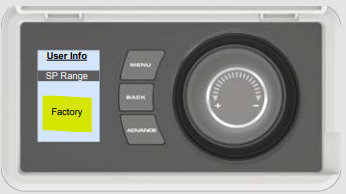
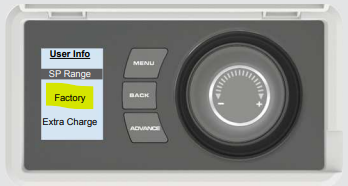
- Press and hold the selector dial to display the User Information Menu.
- Turn the dial and select 'Factory'.
- Select 'Yes' to restore the heater to the factory settings.
Series A:
Series B-G:
Applicable Models:
QM070, QM100, QM125, QM150
CQH070, CQH100, CQH125, CQH150