
Article reference KA-02054
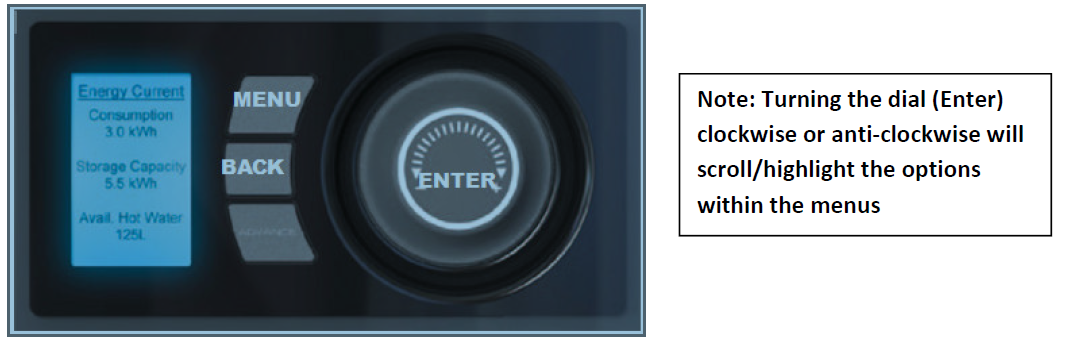
- Press and hold for approximately 5-10 seconds Menu, Back and Enter (dial).
- Once in the Service menu, Highlight "Reset" and press enter.
- Within the Reset options, highlight "Factory" (by turning the dial) press and hold enter.
- When the screen has rebooted, press and hold for approximately 5-10 seconds the Menu, Back and Enter (dial) buttons again.
- Highlight "RTC Calibrate" press enter, select Yes and press enter.
- When the screen has rebooted, press and hold for approximately 5-10 seconds the Menu, Back and Enter (dial) buttons again.
- Highlight "Cylinder" press enter.
- Select the relevant size by turning the dial and press enter.
- Highlight "Tariff" and press enter then select "Off Peak" or "Timed" (if only 24hr supply).
- Press "Menu" select "Time/Temp" then "Set" and amend the Date, Timer and the primary (off peak) and Boost (peak) temperatures accordingly.
- Turn off both supply switches to the cylinder for approximately 10 seconds, the switch them back on.
Note: Pressing the "Advance" button, should energise the boost immersion giving some hot water in the interim.
Applicable Models: QWCd125-580, QWCd125-580RF, QWCd135-480, QWCd135-480RF, QWCd150-580, QWCd150-580RF, QWCd180-480, QWCd180-480RF, QWCd210-580, QWCd210-580RF, QWCd250-580, QWCd250-580RF, QWCd300-580, QWCd300-580RF