
Article reference KA-02170
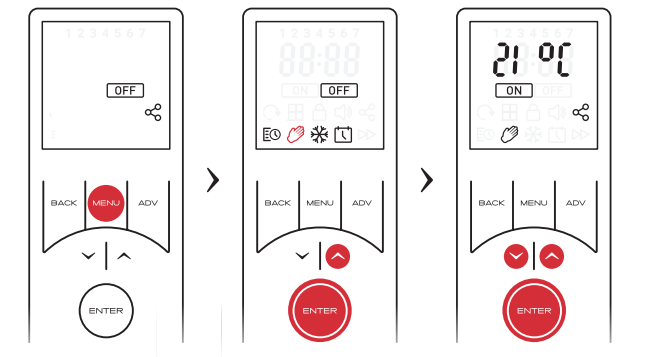
This mode ignores the User Timer and maintains the displayed temperature. To activate manual mode:
• Press the MENU button
• Use the arrow keys to highlight the Hand Icon, then press ENTER to confirm
• Use the arrow keys to adjust the target temperature.
Note: If the temperate is set to 7 degrees c, the mode will automatically change to Frost Protect.