
Article reference KA-01341
In order to access what fault codes your A Class heat pump has generated recently, you will need to login to the information screen. This will help our Technical Support Team diagnose issues quickly.
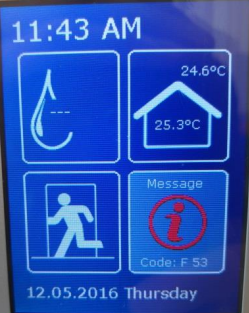
- Turn the dial to highlight the"i" symbol and press the dial down to select it.
- Turn the dial so that the light blue highlighted section is on the "Login:" box at the bottom right hand corner of the screen.
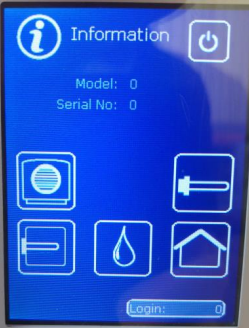
- Press the dial down to highlight just the login number in the box.
- Turn the dial so that 2 is shown in the box and press the dial down twice.
- Turn the dial so that 2 is shown again in the box and press the dial down twice.
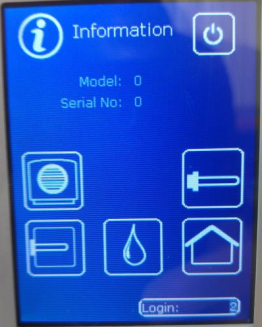
- Turn the dial back the opposite way so that 998 is shown and press the dial once.
- Once you have logged in as 998 you should see the following options.
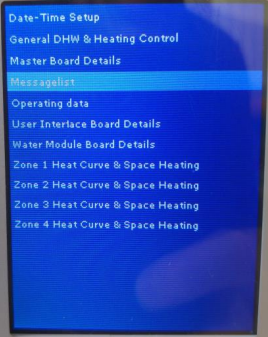
- Turn the dial to highlight the option 'Messagelist'.
- Make a note of the Error Codes listed, i.e. F53, F71 etc and when they occured. You can turn the dial to scroll further down the list on screen.
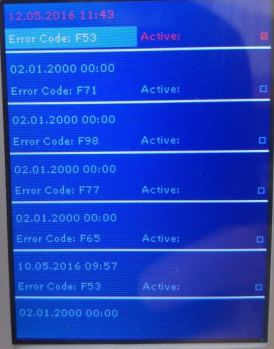
- To exit from these screens, keep pressing the ESC button until you are back to the front main screen.
Applicable Models:
A Class - A6M, A8M, A12M, A16M