
Article reference KA-02564
Press Clock symbol on the user interface.
Press control dial to go between the date and time amend by scrolling the dial till you get to the date required.
Diagram below from instructions show step by step-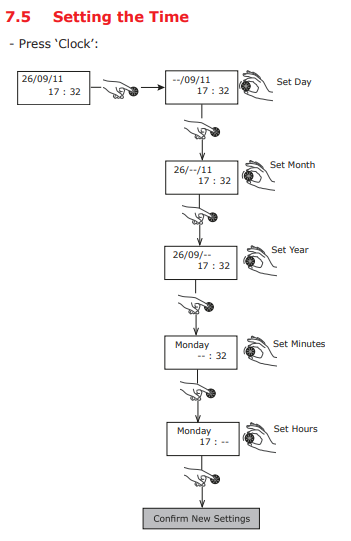
Edel Clock Nov 2019 from GDHV Digital on Vimeo.
Applicable Models
Edel – EDL170-520RF, EDL200UK-630RF, EDL270UK-630RF, EDL200UK-630, EDL270UK-630