
Article reference KA-01800
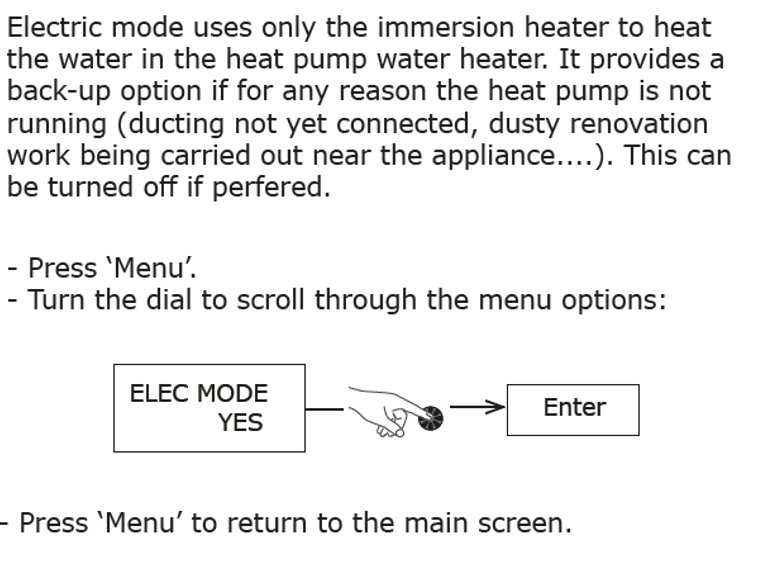
Edel Electric mode Nov 2019 from GDHV Digital on Vimeo.
If you have an error that will not clear to enable you to switch on the backup "Elec Mode", even when holding the round dial for 5 seconds, then follow this video guide to reset the parameters of the Edel, then select the Elec Mode:
Click on this to download the video file:
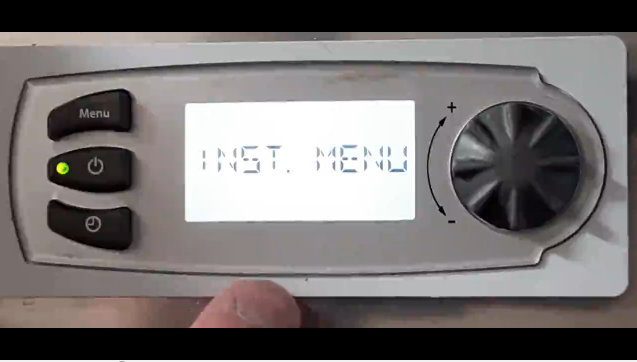
Note if you have your Edel set up in another Language other than English the Elec Mode could be displayed as -
MODE ELEC (French)
ELEK MODUS (German)
MODO.ELETT (Italian)
TRYB.ELEKT (Polish)
ELEC.MODUS (Dutch)
MODO_ELEC. (Spanish)
ELEK.MOD (Slovakian)
EL_G RELEC (Slovene)
ELEK.MOD (Czech)
MOD.ELEK (Croatian)
MODO.CALD (Portuguese)
EL MODUS (Norwegian)
ELEK.UZEM (Hungarian)
MOD.ELEKT (Albanian)
ELEK.MOD (Serbian)
Applicable to models: EDL170UK, EDL200UK, EDL270UK, EDL170UK-520RF, EDL200UK-630RF, EDL270UK-630RF