
Article reference KA-01572
Applicable to models: QM050RF QM070RF QM100RF QM125RF QM150RF
If the heater shows Open Window or Error 50, it is not a fault.
The heater has simply sensed a sudden drop in room temperature associated with a window being opened & has stopped heating the room as a result.
Close the window, or if a window was not open, check for draughts.
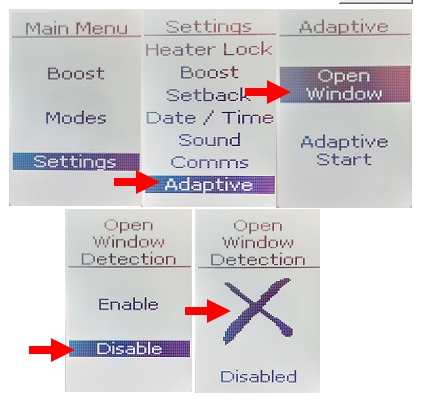
Open Window can be disabled by - Press MENU . Select "Settings"- "Adaptive" - "Open Window" - "Disable".
To re-enable the feature - repeat as above but select "Enable".
Video guide: